Digr Local-first music player · v0.1.0-alpha.3

Music wasn't meant to disappear into an algorithm.

Digr brings your collection, playlists, casts and discoveries together in one place. Built for people who own music — not rent it.

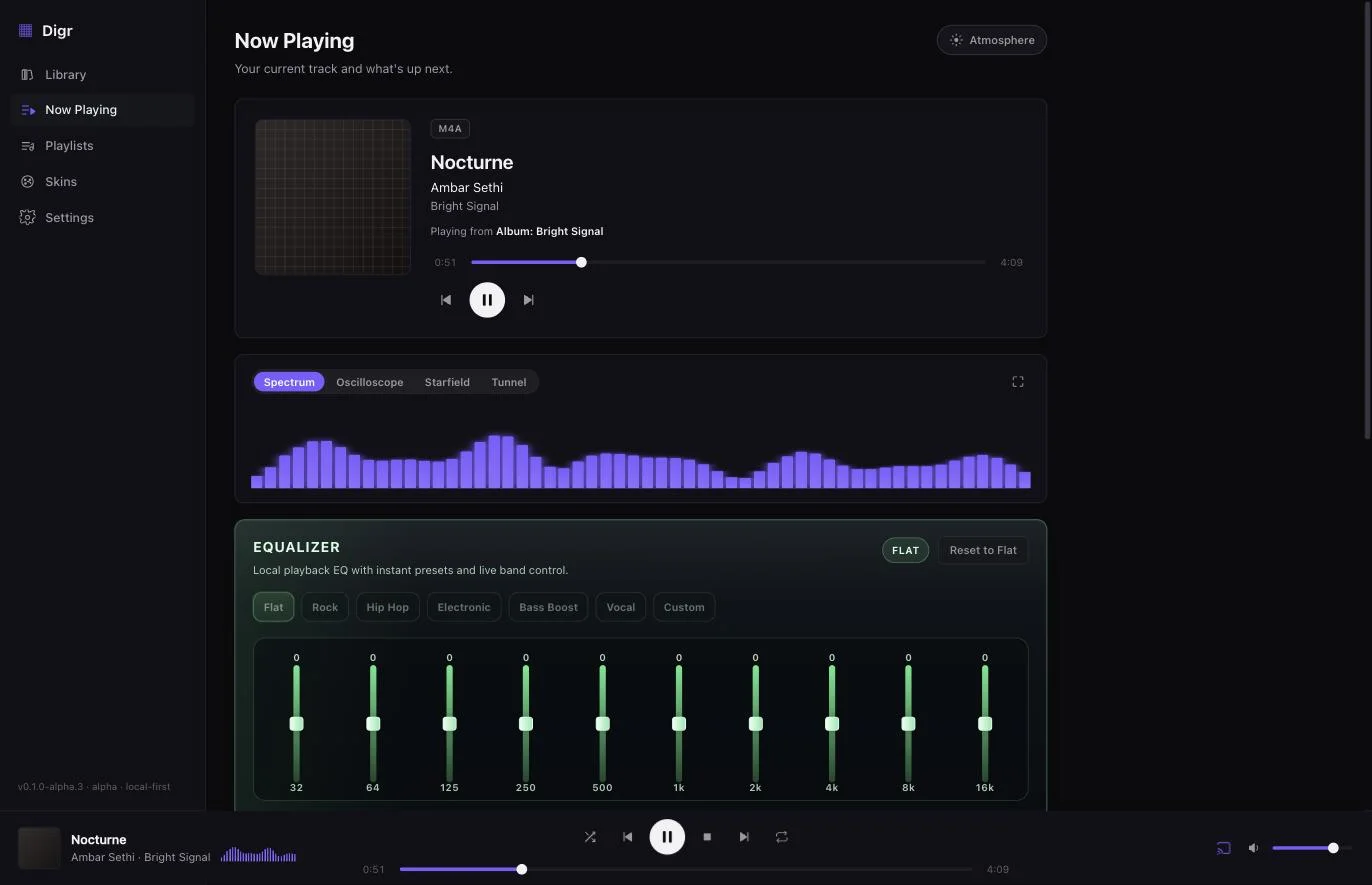
Digr — Now Playing
Digr running on macOS: a sidebar listing Library, Now Playing, Playlists, Skins and Settings; the Now Playing view showing album art, the track Nocturne by Ambar Sethi tagged M4A, a transport with scrubber, a live spectrum visualiser and a ten-band equaliser.

A library is not a feed. A collection is not content.

Streaming asks “here's what everyone likes.” Digr asks something quieter and far more interesting — what do you like?

The crowd has a feed. You have a collection: ripped, tagged, hunted-down, arranged in folders only you understand. Digr respects that. It reads your files where they live and gets out of the way.

/Music/Japan/City Pop/1984/218
/Lossless/Boards of Canada/FLAC/94
/DJ/Edits/_unsorted/1,471
/Vinyl Rips/24bit/332

01 / Library

Your whole collection, in one crate.

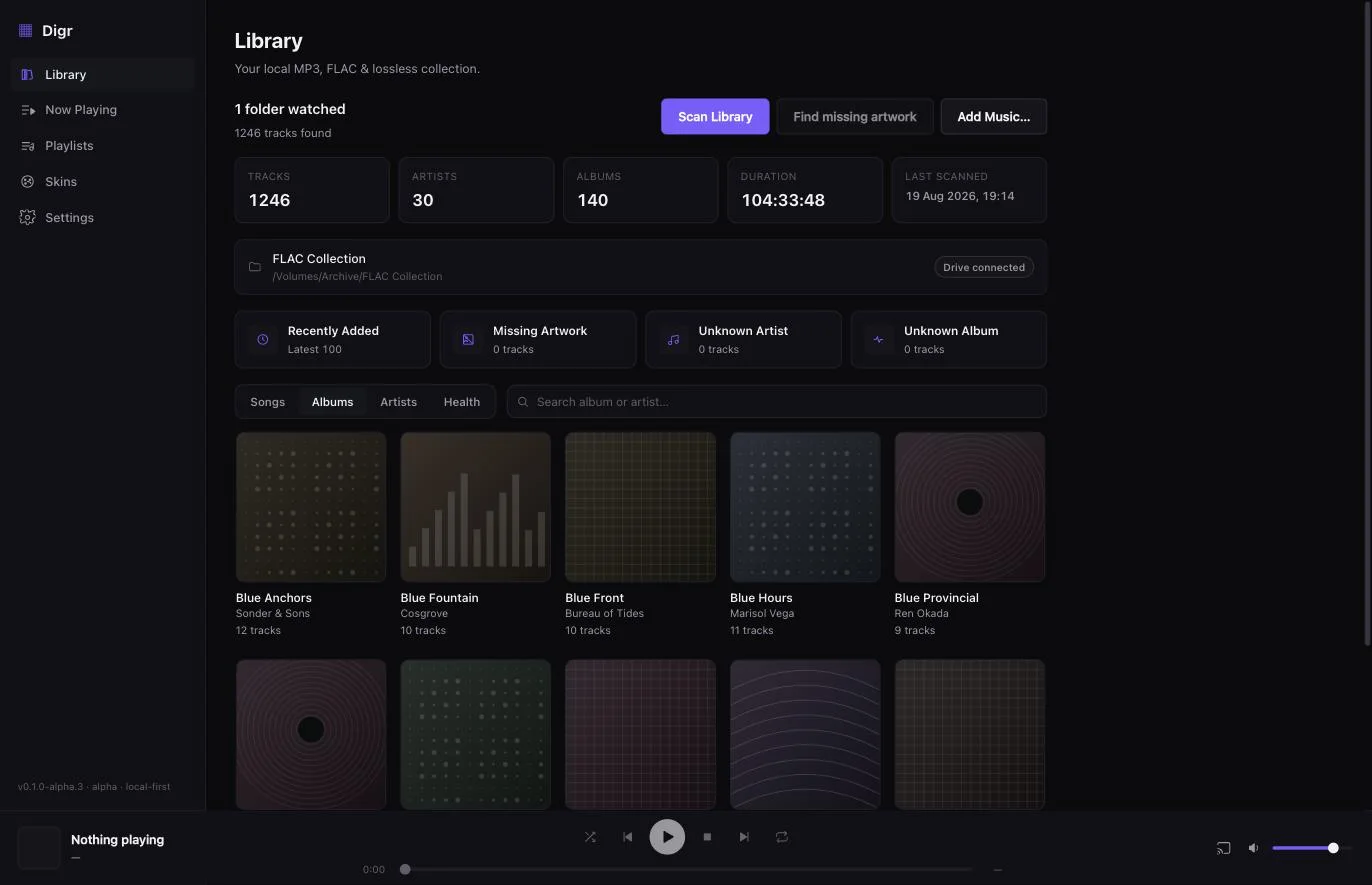
Point Digr at a folder. It scans every track, reads the tags, pulls the artwork, and indexes the lot — locally, instantly, no upload.

  • ARemembered folders. Add a root once. Rescan brings in what's new — no re-import dance, no second copy of your music.
  • BReal metadata. Browse by track, album or artist, read straight from your tags.
  • CSurvives a missing drive. Unplug the external and your library stays intact — Digr finds it again when it's back.

Tracks, albums and artists are virtualised, so a 25,000-track library scrolls without stutter. Scanning is manual today — Digr does not watch the filesystem yet, and automatic watch folders are the next thing being built.

Digr — Library
Digr's Library view: a header reading 1,246 tracks, 30 artists, 140 albums and 104 hours, a watched folder on a connected external drive, and a grid of album covers below.

02 / Now Playing

Now playing, in full resolution.

A player that treats a track like an object worth looking at — artwork at size, a live visualiser, the container named in the corner, and what's coming next right underneath.

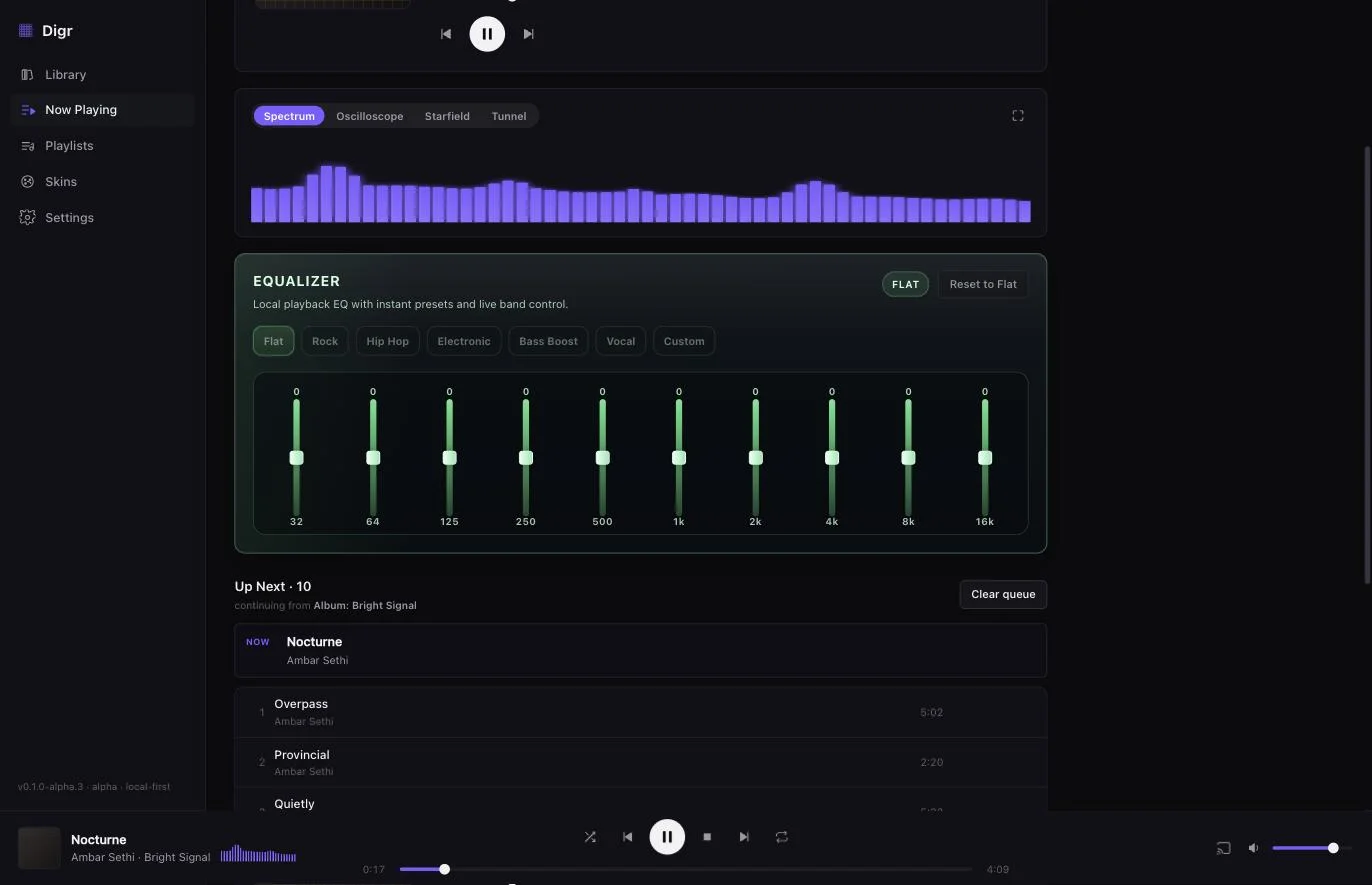
  • AReal-time visualisers. Spectrum, oscilloscope, starfield and tunnel — drawn from the actual signal, not faked from a loop. Full-screen when you want the room to notice.
  • BA ten-band EQ. Presets that mean something, or drag the sliders yourself. It remembers where you left them.
  • COne queue, one truth. Play an album, artist or playlist and it keeps going through that source. A file that won't load stops with a reason instead of skipping past it.
Digr — Now Playing
Digr's Now Playing view scrolled down: the spectrum visualiser with Oscilloscope, Starfield and Tunnel alongside it; the ten-band equaliser from 32 Hz to 16 kHz with Flat, Rock, Hip Hop, Electronic, Bass Boost, Vocal and Custom presets; and an Up Next queue of ten tracks continuing from an album.

03 / Cast

Send it to any room.

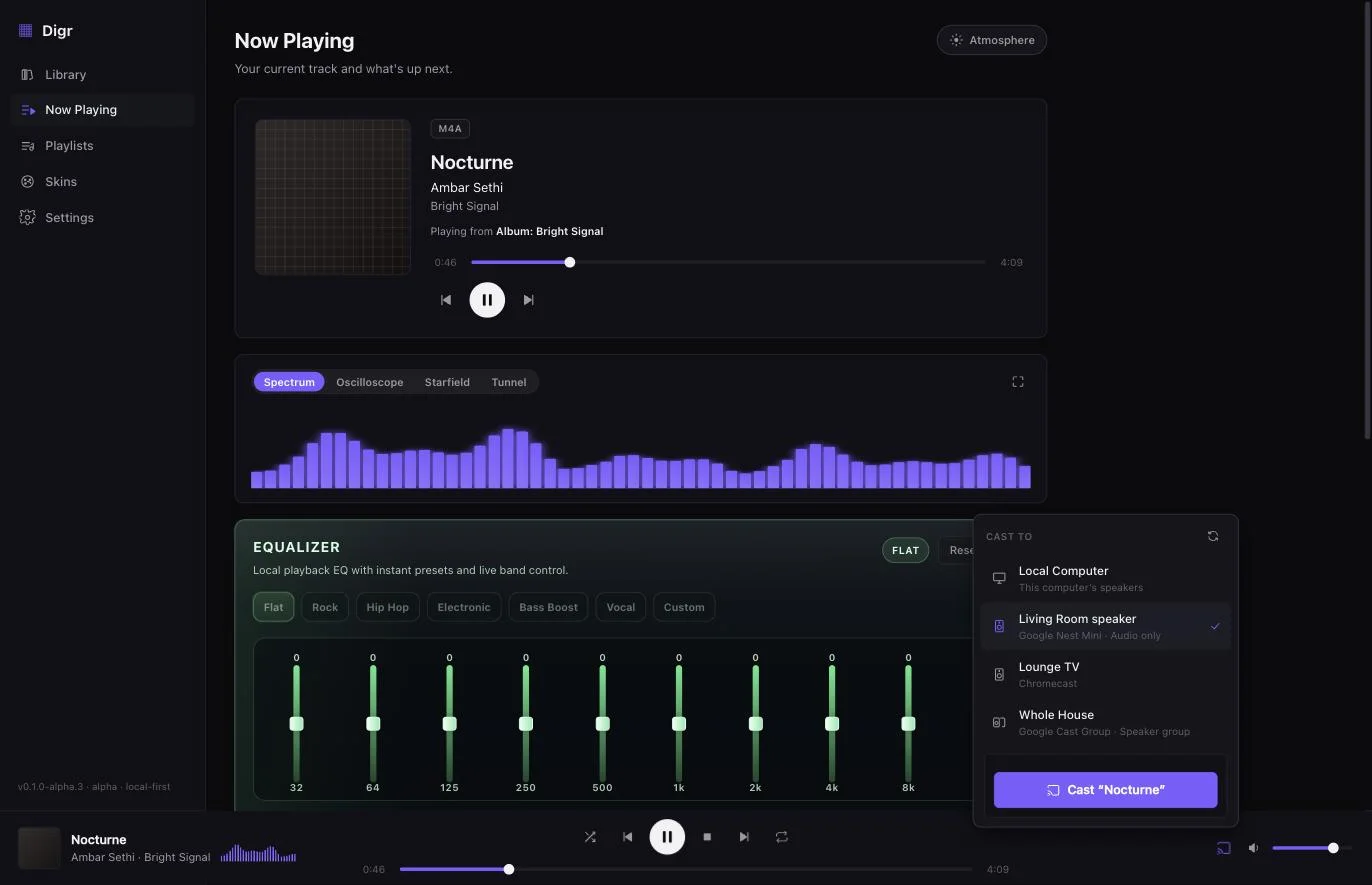
Digr finds the Google Cast speakers on your network and hands off without a beat. Speakers, TVs and whole-house groups turn up on their own — pick one, the sound follows.

  • AChromecast & Google Home. Discovered automatically over your LAN — nothing to configure.
  • BYour original files. Streamed straight off your disk by a local server. No silent re-encode to 128k.
  • CThe queue never forks. While casting, Digr still owns the queue, shuffle and repeat — disconnect and local playback picks up on the same track.

Google Cast is the one protocol Digr speaks today. AirPlay, DLNA/UPnP and OpenHome are on the roadmap, not in the alpha.

Digr — Cast
Digr's cast picker open over the Now Playing view, listing this computer alongside a Google Nest Mini, a Chromecast and a whole-house speaker group, with a button to cast the current track.

04 / Skins

Re-theme the whole app, live.

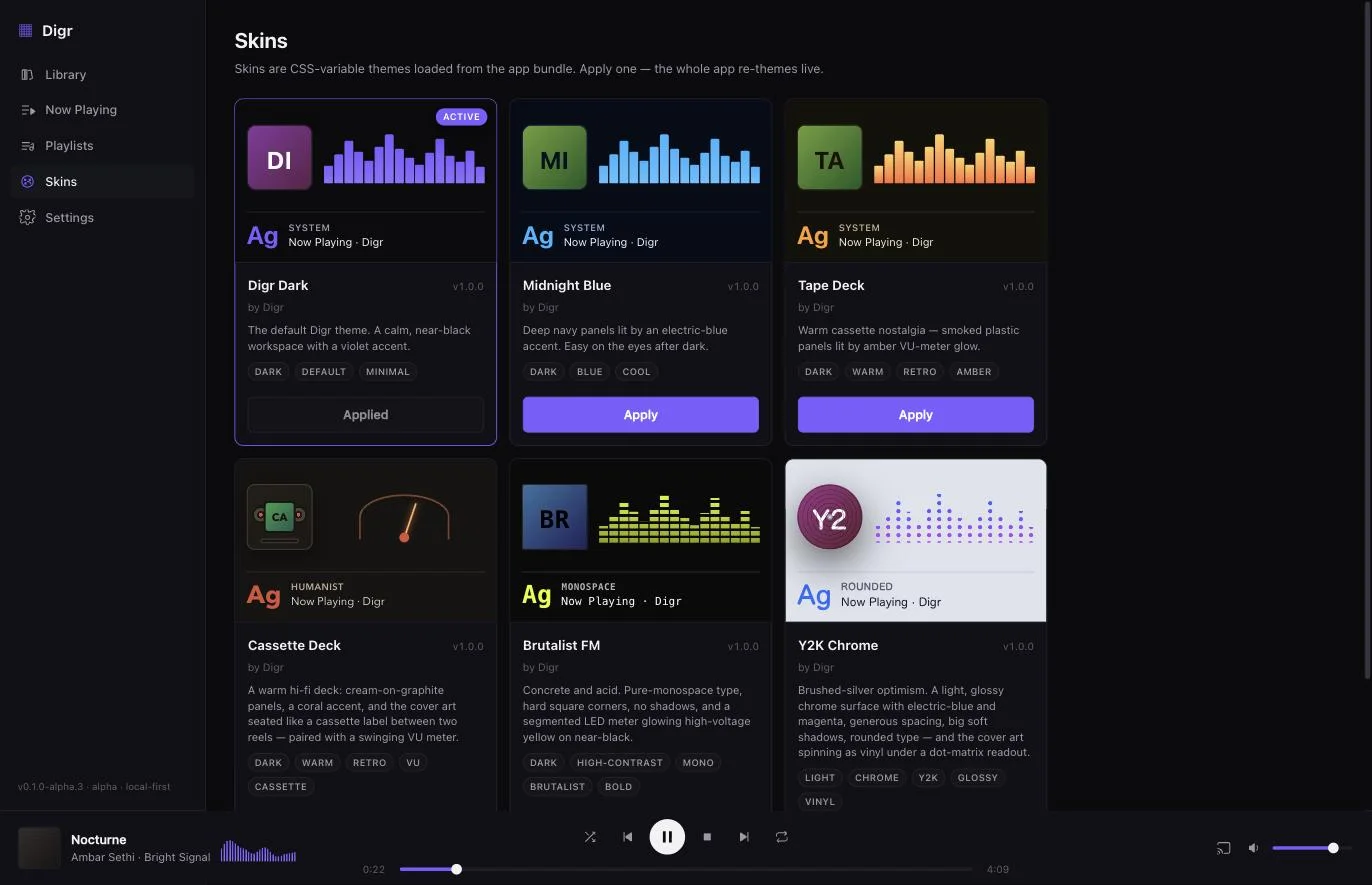
Six skins ship with the alpha — a validated set of colour tokens plus a handful of structural choices, never arbitrary behaviour. Apply one and the whole app changes in place, no restart.

↳ Try one. Each swatch below is a real bundled skin, and picking it paints this page in that skin's own accent.

Digr — Skins
Digr's Skins view: six cards for the bundled skins — Digr Dark, Midnight Blue, Tape Deck, Cassette Deck, Brutalist FM and Y2K Chrome — each previewing that skin's cover-art framing, visualiser style and typeface, with Digr Dark marked active.

05 / Formats

Still buying FLACs? You're among friends.

Digr reads your tags, artwork and durations straight out of the file. No transcoding, no “upgrade for hi-fi,” no asterisks.

MP3FLACALACM4AAACWAVOGG

All indexed with full metadata. OGG depends on your system's codecs for playback — Digr tells you per track rather than failing silently.


06 / The Story

Music software peaked in spirit twenty years ago. Digr is what happened next.

Not nostalgia. Not a retro skin. A timeline where the players we loved never lost their way — and kept evolving into something impossibly polished.

1997
Winamp
It really whipped. Skins, playlists, an EQ you respected.
2001
iTunes
The library as a place. Then it grew into a store and forgot.
2010s
MusicBee
The faithful kept the flame — power-user depth, quietly.
Now
Digr
The future that music software was supposed to become.
Digr Free · Local-first · No account

Your collection deserves better.

macOS download coming soonView roadmap
v0.1.0-alpha.3 · macOS 11 Big Sur or later · Apple silicon

Digr v0.1.0-alpha.3 is built and packaged, but nothing has been published for download yet — the build still needs Apple Developer ID signing and notarisation, without which macOS reports a downloaded app as damaged. That is the first thing on the roadmap, and this button turns on the moment there is something real behind it.